

How it works
From a badge to a follow-up, in four steps.
What you do at the booth, and what Relay does for you. Each step takes seconds, so you are ready for the next conversation.
-
Step 1
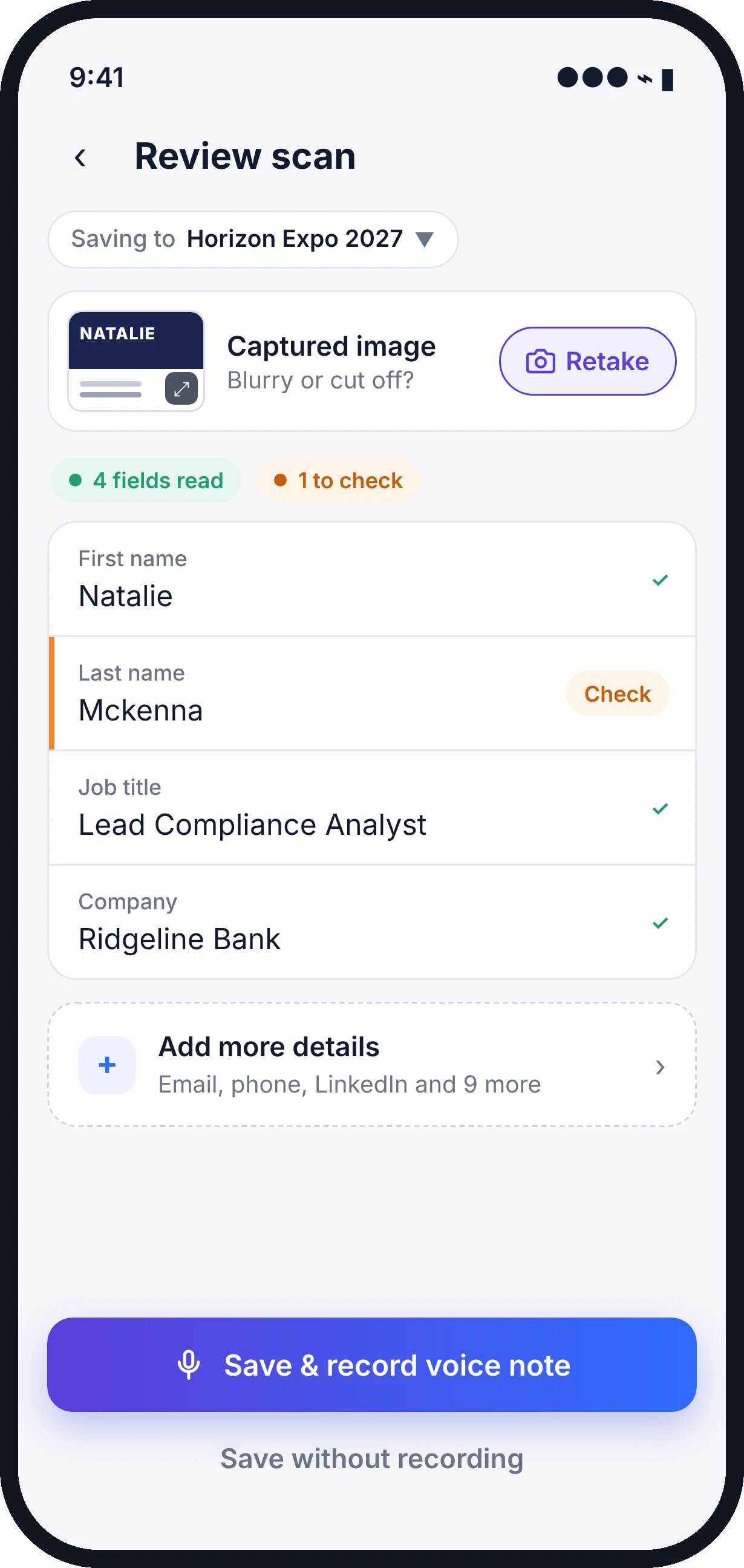
Scan the badge or card
Point your phone at any printed badge or business card. No QR code, scanner rental or show setup needed.
- You
- Snap the badge or card, then glance at anything Relay flags.
- Relay
- Reads the name, company, title, email and phone, flags what it is unsure of, and saves the lead to your show folder. Works offline too.
-
Step 2
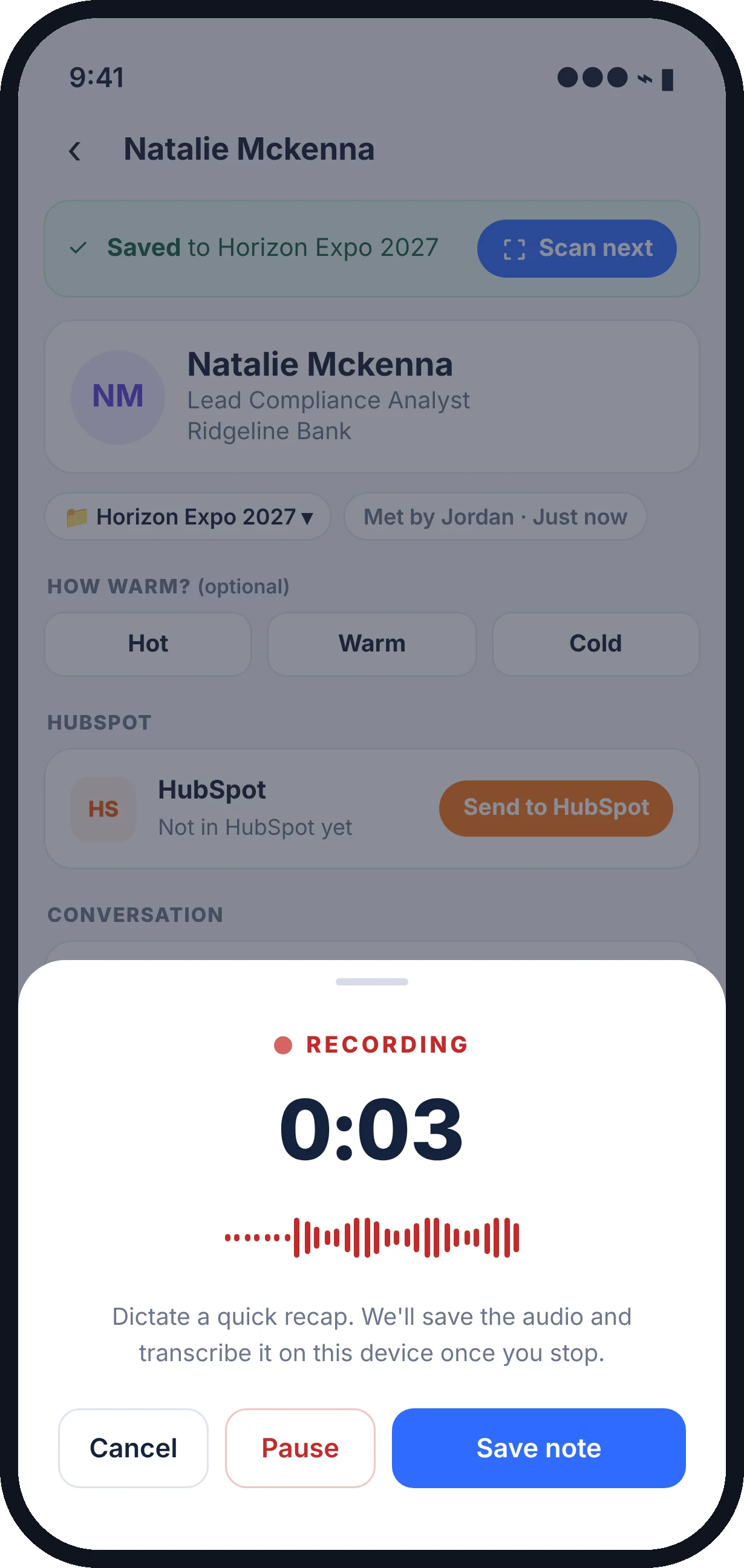
Add a voice note
Right after the conversation, talk for twenty or thirty seconds about what you discussed and what you promised to do.
- You
- Tap record and recap the conversation in your own words. Relay does not listen to the conversation itself.
- Relay
- Saves the audio and transcribes it, then attaches both to the lead.
-
Step 3
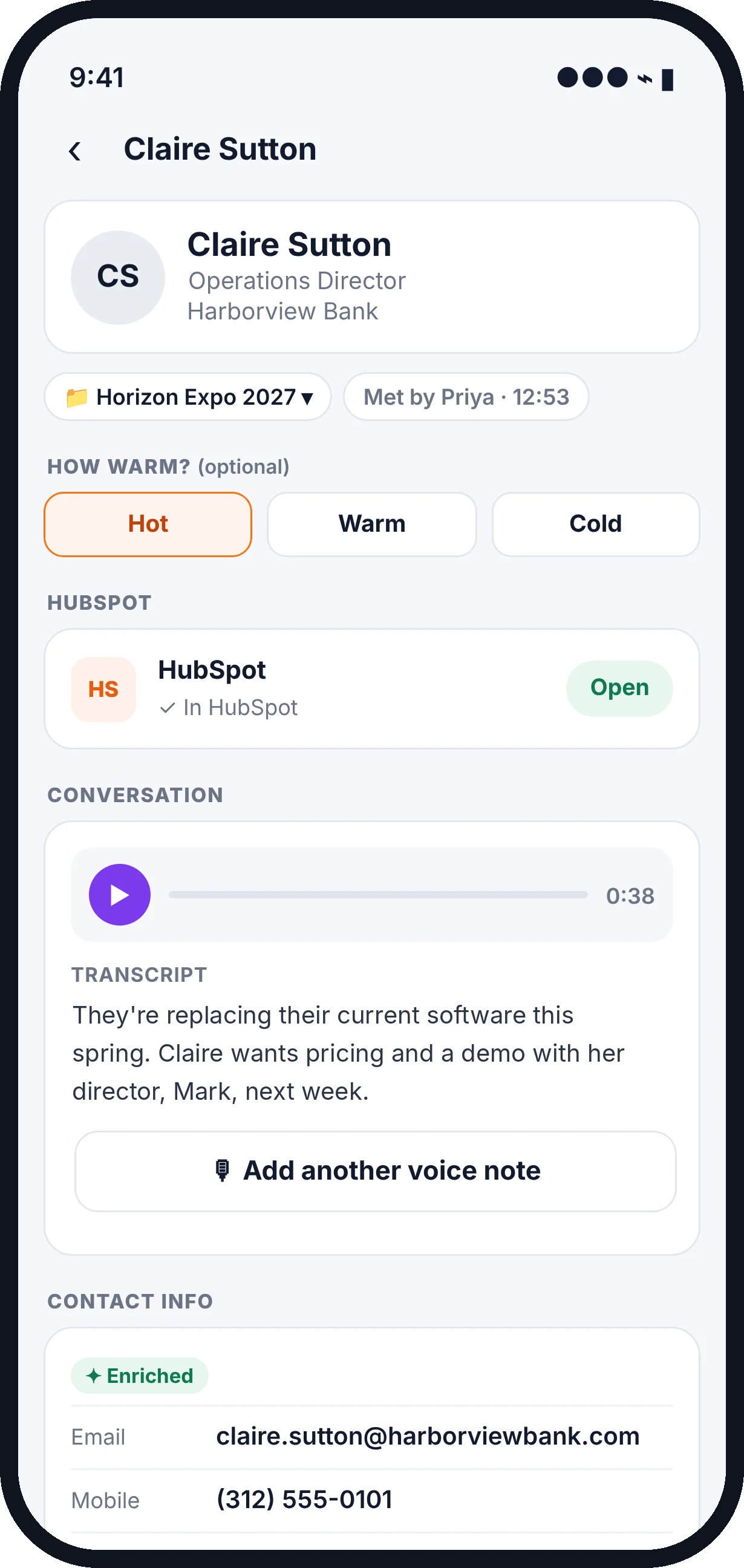
Review the lead
Everything about the person is in one place: who they are, the show, who met them, and your note.
- You
- Rate the lead Hot, Warm or Cold if you like.
- Relay
- Turns your note into a short summary and next step, and fills in missing contact details using one of your enrichments.
-
Step 4
Follow up
Back at your desk, open the lead in the Relay web app with the same account.
- You
- Click Email to write your follow-up in Gmail or Outlook, send leads to your CRM, or export them.
- Relay
- Keeps every note on the lead, opens a new email already addressed to them, and shows which leads are in your CRM.
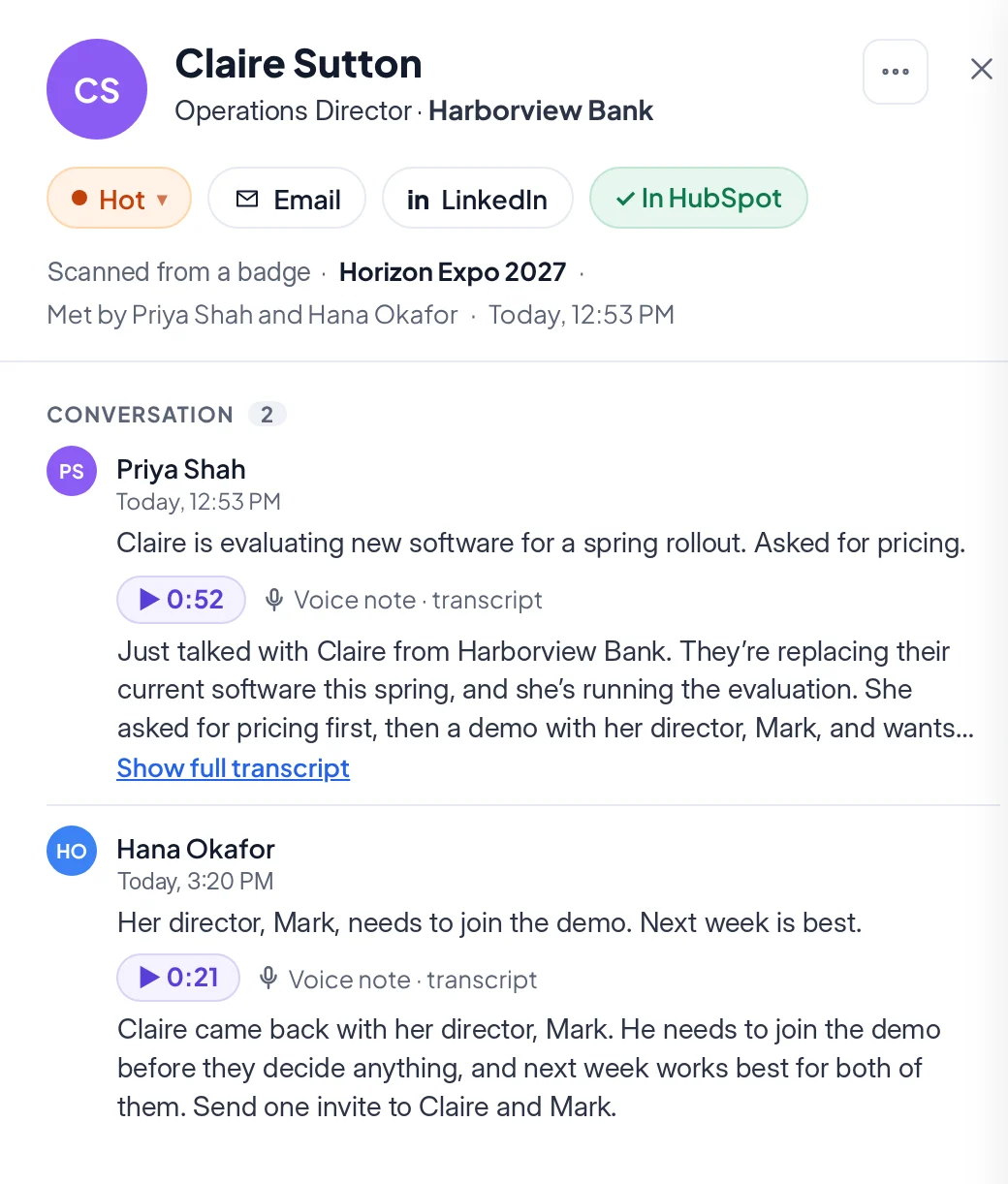
Screens show sample data.
At a glance
What you do, and what Relay does.
On every plan, including Free: unlimited scans, voice notes and transcripts, the web app, CSV export, and 10 contact enrichments to try.
On Tier 1 and up: more enrichments and Salesforce or HubSpot sync. See pricing
Rolling Relay out to a booth team? See how it works for teams. Curious why the voice note matters? Read what a badge scan tells you.
Get the App
Try it at your next event.
Download Relay for iPhone or Android, sign up in the app, and scan your first badge in under a minute. The web app comes with your account.
- Unlimited badge and card scans and voice notes on Relay Free
- Sign up on your phone, then use the web app at your desk
- Exhibiting where your organizer includes Relay? Your account is already set up
Buying for a team? Book a demo.
-
Scan for iPhone

-
Scan for Android

Sign up in the app. Your account includes the Relay web app for reviewing leads at your desk.